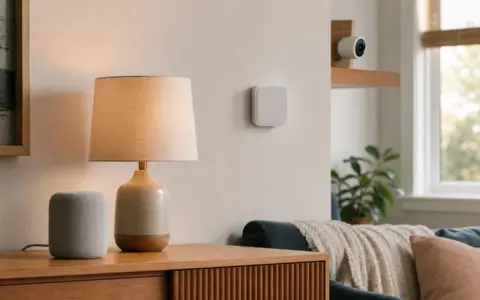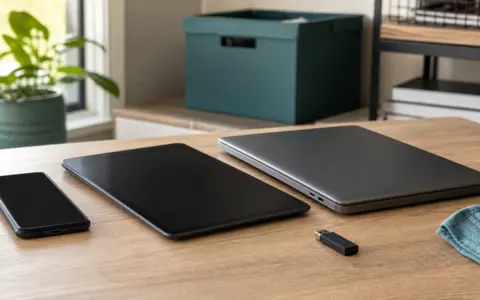


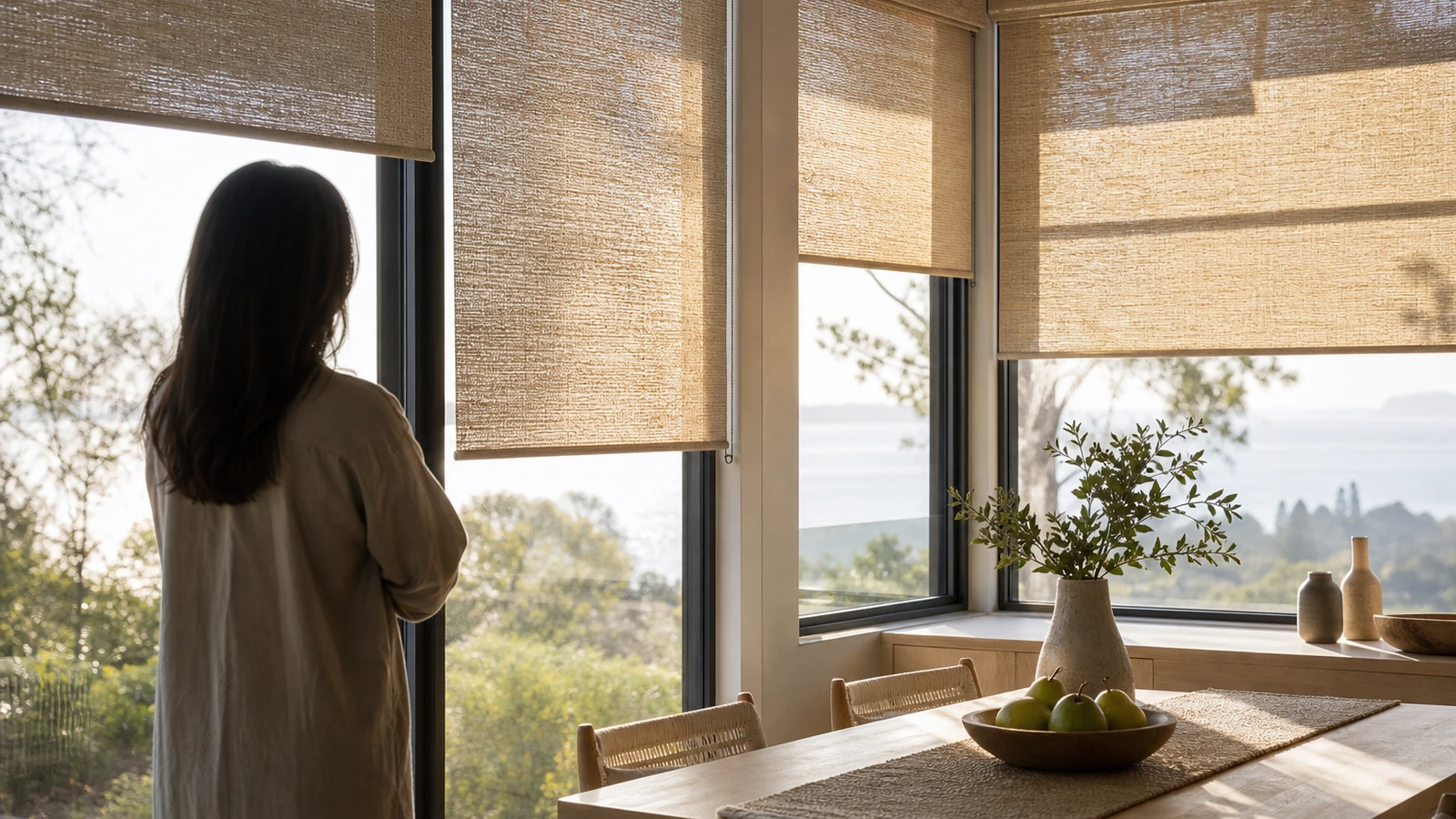
Motorized blinds and smart shades work best when they are planned as part of the window, room, and household—not added as an app-controlled afterthought. The fabric still has to manage light and privacy. The headrail, brackets, and motor still have to fit. Power must reach every window without unsafe improvisation, controls must remain understandable, and people need a practical fallback when a battery, network, account, remote, or automation is unavailable.
Start with a window-by-window survey before choosing a platform or ordering custom sizes. Define what each covering must accomplish, measure using the selected manufacturer’s method, identify obstructions and mounting surfaces, and decide who should be able to operate it. Product dimensions, clearances, wiring, battery behavior, radio support, load limits, child-safety provisions, and emergency-use restrictions are model-specific. Follow the exact manuals and use qualified window-treatment, electrical, or building professionals where the work requires them.
Give every window a specific assignment
A room can contain several windows with different needs. One faces a sidewalk and needs privacy at night. Another creates monitor glare for two afternoon hours. A bedroom window needs dependable darkening, while a kitchen window mainly needs washable material and clearance from a handle. Write the primary and secondary job for each opening. This prevents an attractive fabric or clever automation from being asked to solve a problem it was not designed to solve.
Observe the room throughout a normal day. Note when direct sun reaches furniture, floors, screens, plants, and seating. Stand both inside and outside after dark, where appropriate and safe, to understand privacy with the interior lights on. A light-filtering material may soften daylight while still revealing shapes at night; a room-darkening material may reduce light substantially without creating complete darkness around edges. Treat marketing terms as product descriptions to verify with samples and specifications, not universal performance grades.
Order or borrow sufficiently large samples when possible. Hold them at the actual window in morning and evening light. Look at color from across the room and from outdoors, and consider the appearance of the street-facing side if that matters. Texture, openness, backing, side gaps, and mounting position affect the result. Small swatches can understate how a strong color or weave will feel across an entire wall of glass.
Survey the opening and everything around it
Create a record for each window rather than assuming a row of openings is identical. Identify inside or outside mounting preference, opening width and height at the locations specified by the manufacturer, available recess depth, trim projection, sill condition, and the material that will receive the brackets. Record mullions, locks, cranks, handles, alarm contacts, screens, vents, nearby doors, cabinets, and furniture. Check the shade’s full raised and lowered path, not just the headrail location.
Do not automatically deduct from a measurement or round it according to a remembered rule. Inside-mount deductions, production tolerances, squareness allowances, bracket spacing, and minimum depth differ. Follow the seller or manufacturer’s current measuring and ordering method for the exact product. Custom treatments may have limited return options, so a qualified measure can be worthwhile for expensive, unusually shaped, very large, or difficult-to-reach windows.
Inside mount and outside mount solve different problems
An inside mount can look integrated and preserve visible trim, but it needs enough clear, level depth and may leave side light gaps. An outside mount can cover more of the opening, disguise imperfect trim, or clear shallow recesses, but it occupies wall or trim area and may affect nearby hardware. Neither is automatically better. Mock up the headrail and fabric boundaries with removable tape, then operate windows, doors, latches, and cabinets.
Check whether the mounting surface is suitable for the supplied system and loads. Decorative trim, thin paneling, tile, masonry, plaster, and concealed framing require different assessment and hardware. Do not guess at hidden structure or substitute fasteners casually. Follow the installation instructions and use a qualified installer when the substrate, span, shade weight, height, or hidden utilities create uncertainty.
Choose the light-control layer before the motor
Motorization does not change the optical behavior of the material. A solar-style screen can preserve some outward view while reducing direct brightness, but openness, color, exterior conditions, and nighttime lighting alter privacy and glare. Translucent shades diffuse light but generally do not provide the same privacy or darkening as an opaque treatment. Slatted blinds can redirect light but create a different visual pattern and cleaning task. Layered drapery and shades can divide those jobs, though the added depth must be planned.
For sleep, projection, or sensitive screen use, examine edge gaps, seams, headrail light, and reflections, not only the center of the fabric. Side channels or overlapping layers may improve control on compatible systems, but they add components and service needs. For heat and fading concerns, avoid assigning precise energy or ultraviolet performance unless the exact assembly provides documented values relevant to the installed configuration. Glass type, orientation, climate, air gaps, color, and fit all matter.
Decide how every shade will get power
Power design influences appearance, maintenance, cost, and reliability. Battery-powered shades avoid new fixed wiring but create a recurring charging or replacement task. Runtime varies with motor, shade size and weight, travel distance, daily cycles, temperature, battery age, alignment, and radio behavior. A vendor estimate can help with planning, but it should not be treated as a promise for every window. Ask how low power is reported, how long charging takes, and whether the shade remains usable while charging.
Rechargeable batteries may be built into the headrail or removable. Confirm whether the charging port can be reached after installation and whether a safe cable path and stable ladder access are practical. A window fifteen feet above a stair landing changes the maintenance decision. Replaceable packs can reduce downtime but require the correct parts and a storage plan. Do not mix battery types or charging equipment unless the manufacturer specifically permits it.
Plug-in motors can be practical near accessible receptacles, provided the approved power supply and cable can be routed without being pinched, stretched, hidden unsafely, or turned into a trip or strangulation hazard. Confirm outlet capacity and adapter clearance. Hardwired low-voltage or mains-powered systems can create a clean result during construction, but transformer location, cable type, conductor routing, disconnects, service access, and code requirements need early design. Use a qualified electrician for fixed electrical work and follow the shade system’s wiring documents.
Compare the control and power patterns
| Pattern | Best suited to | Main planning questions | Fallback to confirm |
|---|---|---|---|
| Battery shade with local remote | Retrofits and a few accessible windows | Charging reach, battery status, remote storage, grouping, and replacement support | Local button or documented manual procedure |
| Plug-in shade with wall or handheld control | Windows near suitable accessible receptacles | Visible cable route, adapter space, furniture, cleaning, and outage behavior | Physical control after network or account loss |
| Hardwired centralized system | Renovations, new construction, or many large treatments | Early wiring design, power supply location, zones, service panels, and professional commissioning | Wall control and documented service access |
| App- or hub-connected shades | Schedules, scenes, or coordination across rooms | Radio and hub compatibility, account roles, internet dependence, updates, and data handling | Remote, wall button, or local control without the app |
| Layered motorized and manual treatments | Rooms with separate privacy, glare, and decorative needs | Bracket depth, fabric collision, control clarity, stack space, and cleaning | Independent operation of at least one useful layer |
Separate “motorized” from “smart”
A motorized shade moves under electrical control. A smart shade may also join an app, hub, schedule, sensor routine, or voice service. Those capabilities are not interchangeable. A remote using one radio does not prove compatibility with a preferred hub, and a product appearing in an app does not prove it can run locally when the internet fails. Confirm the exact model, bridge or hub, region, firmware, controller, and desired function before purchase.
Write down the minimum control stack for each person. A wall button can be easier for guests and children than an app. A handheld remote is useful only if it has a known home. An app may simplify grouping but adds phones, permissions, accounts, and update dependencies. Voice control can be convenient, but it should not be the sole route for privacy or an important opening. If the system requires a hub, compare that role with the distinctions in our smart plugs, bulbs, and hubs starter guide.
Plan groups and names on paper first
Group shades according to real behavior: all street-facing shades, the two glare-control shades near a desk, or every bedroom shade. Avoid one giant floor group if people routinely need different positions. Keep names short and distinct, but do not print room names or account details where they are publicly visible. Document which physical control operates which group and what happens when an individual shade is adjusted separately.
Schedules should reflect the household rather than advertise absence or surprise someone using the room. Start with one low-consequence routine, observe it for a week, and preserve an easy override. Sunrise and sunset triggers, sensor rules, weather services, and geofencing may behave differently across platforms and permissions. Check whether automations run in the device, hub, phone, or cloud and what happens after lost internet, lost power, a clock error, or a depleted battery.
Protect privacy and network access
Connected shades can reveal or infer household routines through schedules, app events, room names, voice history, presence triggers, or third-party integrations. The amount collected and retained varies by provider and configuration. Review current product privacy information and app permissions before creating routines. Use the smallest practical data set: a fixed schedule may accomplish the task without location access, and a local wall control may be sufficient for a guest.
Use unique account credentials, multifactor authentication when offered, current software, narrow household sharing, and a documented owner account. Remove former residents, contractors, and unused integrations. Our beginner’s smart-home privacy guide provides a room-by-room review framework, while the home network security checklist covers router administration and connected-device inventory. These steps reduce avoidable exposure but cannot guarantee how a vendor designs, updates, or operates its service.
Keep safety, access, and ordinary operation visible
Motorization can eliminate some dangling controls, but do not assume every product is automatically suitable for every home. Inspect the exact design for accessible cords, loops, chains, tension devices, cables, and small battery parts. Install all required safety components exactly as directed and keep controls and charging leads managed around children and pets. Do not modify the operating system to create an unofficial manual pull unless the manufacturer explicitly describes that method.
A window may also serve ventilation, cleaning, rescue, or required emergency escape functions. A shade, side channel, power cable, piece of furniture, or fixed control should not obstruct required access or operation. Applicable building and fire requirements vary, so confirm local obligations with the appropriate authority or professional. For doors and frequently opened windows, verify that fabric cannot be caught, drawn outdoors, or struck by hardware.
Consider users with limited reach, vision, hearing, dexterity, or comfort with apps. A consistent wall control at an accessible location may matter more than voice automation. Confirm visual, audible, or app feedback if knowing the shade position is important. Large or high shades can be heavy even when the motor makes operation feel effortless; servicing brackets, batteries, or fabric may still require trained help and proper access equipment.
Plan for failure and eventual replacement
Ask what the shade does during a power interruption and after power returns. Does it retain limits, schedules, group membership, and position? Can it be operated locally without internet? Is there a documented way to release, reset, re-pair, or remove it? Answers vary, and some actions can erase calibration. Save manuals, order records, finish names, measurements, controller details, and installer contacts somewhere the next household member can find them.
Also ask about replacement batteries, power supplies, remotes, bridges, motors, and fabric service. A long decorative life and a shorter electronics support life can coexist. Modular, accessible components may be easier to maintain than a tightly enclosed installation, but only the provider can confirm part availability and service policy. Do not enclose transformers, hubs, or connectors behind permanent finishes unless the system specifically supports that design and service access remains compliant.
Common planning mistakes
- Ordering from one width measurement: Openings can be out of square, and manufacturer methods differ. Measure exactly as instructed for each unit.
- Choosing connectivity before fabric: A perfect app cannot fix inadequate privacy, excessive edge light, or the wrong material.
- Ignoring charging access: A clean cordless look becomes inconvenient when the port requires unsafe ladder placement.
- Assuming every item in one collection integrates: Motors, remotes, hubs, regions, and generations may differ. Verify model-level support.
- Making the phone the only switch: Guests, outages, dead batteries, account problems, and future owners need a clear physical route.
- Hiding power hardware permanently: Batteries, adapters, transformers, and bridges eventually need inspection, reset, or replacement.
- Automating all windows at once: One pilot window can expose fit, noise, speed, light gaps, radio coverage, and household-preference problems before a large order.
A practical pre-installation sequence
- Assign privacy, glare, darkening, view, and decorative priorities to each window.
- Observe daylight and nighttime privacy, then test full-size material samples in place.
- Survey every opening, mounting surface, obstruction, travel path, and required access function.
- Select the treatment and mount style, then measure using the exact ordering instructions or arrange a professional measure.
- Choose power and make fixed-wiring decisions before finishes are closed; involve a qualified electrician where needed.
- Confirm model-level controls, hub needs, account roles, network behavior, local fallback, and part support.
- Pilot one representative window when practical, checking fit, noise, light gaps, charging, control range, and household use.
- Install and commission according to the manuals, document limits and groups, then test power, internet, app, remote, wall-control, and individual-shade failure scenarios.
FAQ
Are battery-powered smart shades a good retrofit?
They can be, especially when windows are accessible and new wiring would be disruptive. Check expected charging frequency for the exact shade, port access, battery replacement policy, shade size limits, and behavior at low charge. A difficult high window may favor another power strategy despite the easier initial installation.
Do smart shades need a hub?
Some do, some connect another way, and some are motorized without broader smart-home functions. A hub may provide radio translation, local control, grouping, or integrations. Verify the exact model and desired feature; do not infer support from a logo, app screenshot, or another product in the same brand family.
Can motorized shades work without Wi-Fi?
Many systems offer a local remote or wall control, but behavior varies. Some schedules or integrations depend on a hub, cloud service, or internet connection. Test the documented fallback before relying on the shade for privacy, sleep, or access, and keep physical controls available.
Should smart shades be hardwired during a renovation?
Early wiring can reduce visible adapters and battery maintenance, particularly across many or hard-to-reach windows. It also requires compatible equipment, an accurate plan, serviceable power components, and compliant installation. Coordinate the shade provider and qualified electrician before walls and trim are finished.
Will a room-darkening smart shade make a bedroom completely dark?
Not necessarily. Material opacity is only one factor; light can enter around the sides, sill, headrail, seams, or an uneven opening. Review the exact product description, test samples, and discuss channels, overlaps, outside mounting, or layered treatments when very low light is important.
What should I test after installation?
Operate every shade individually and in groups. Check upper and lower limits, fabric tracking, obstacles, window hardware, remotes, wall controls, apps, schedules, charging, and unusual sounds. Then test loss of internet and, where safe and documented, loss and restoration of power. Stop and contact the installer if movement binds, hardware shifts, a motor strains, or wiring becomes warm or damaged.
The takeaway
Choose motorized blinds and smart shades in this order: window purpose, material, fit, mount, power, ordinary controls, then optional automation. A successful plan makes privacy and light control easy even when the app is unavailable, keeps power and service accessible, protects people and required window functions, and is documented well enough to maintain after the novelty wears off.

Madison Rowe
Madison Rowe is a Disco Lift staff byline covering everyday technology, digital organization, privacy, and connected devices. Articles published under this pen name are reviewed under Disco Lift’s editorial standards.